
Now on Google Play · Free

Own your day.
Plan it. Do it. See it.

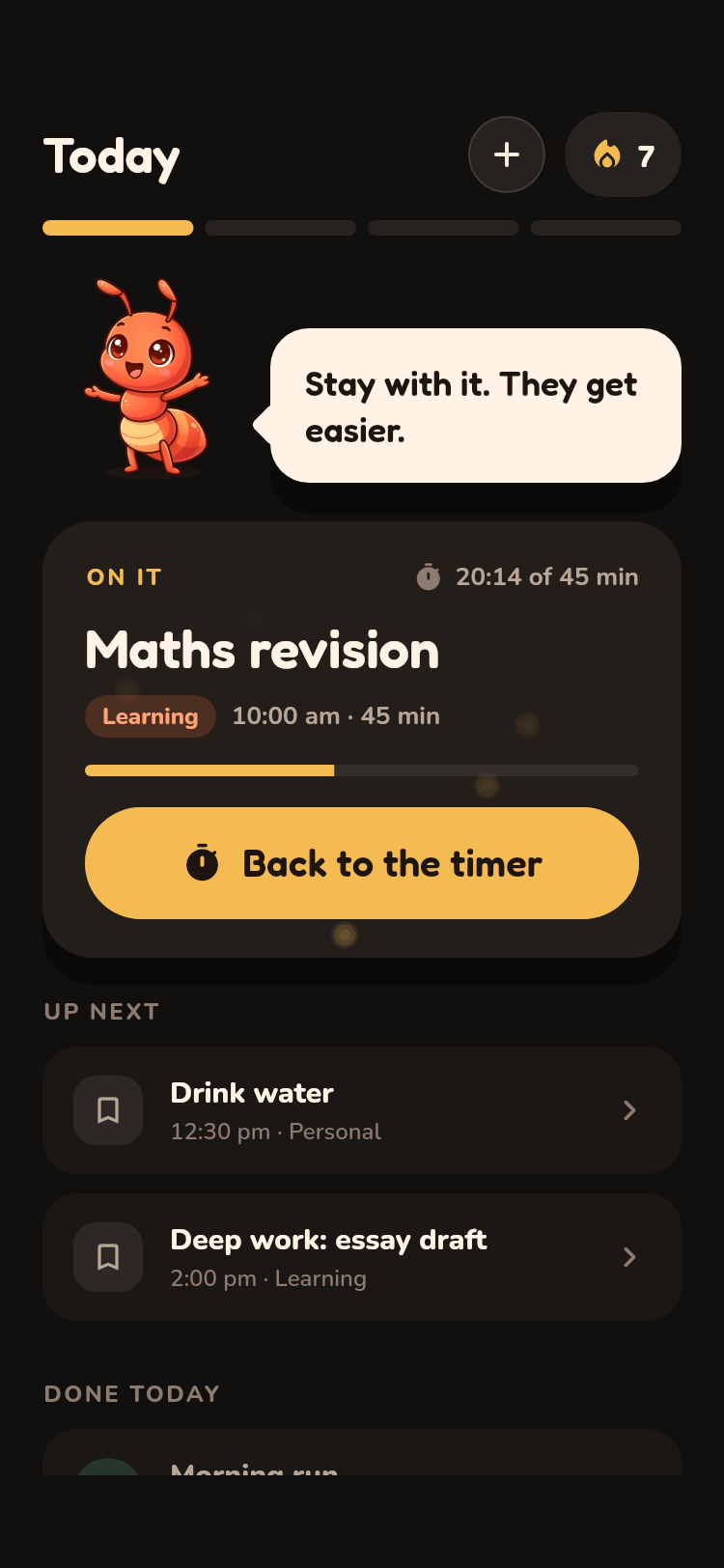
Daylta turns a messy day into a timeline you can actually follow. Start with just three things that matter, run each one on a timer, and get an honest look at where your time went.
Bitsy the ant cheers you on, because small, steady work pays off. Just keep showing up!!

No account needed No ads, no tracking No data leaves your phone ever
Daylta home screen showing today's three planned tasks and the current task on the clock

Three moves. One loop. Every day.

Most planners assume discipline you don't have yet. Daylta gives you a loop small enough to keep: plan, do, reflect.

Step 1 · Plan

Pick today's three, then place the rest

Open Daylta in the morning and choose the three things that would make today a win. Add anything else with a time and a duration, and My Day lays it all out on a timeline with your free gaps shown, not hidden.

  • Plan Today, Tomorrow, or any date
  • Repeat rules for daily and weekly habits
  • Categories for fitness, study, hydration, sleep, work and more
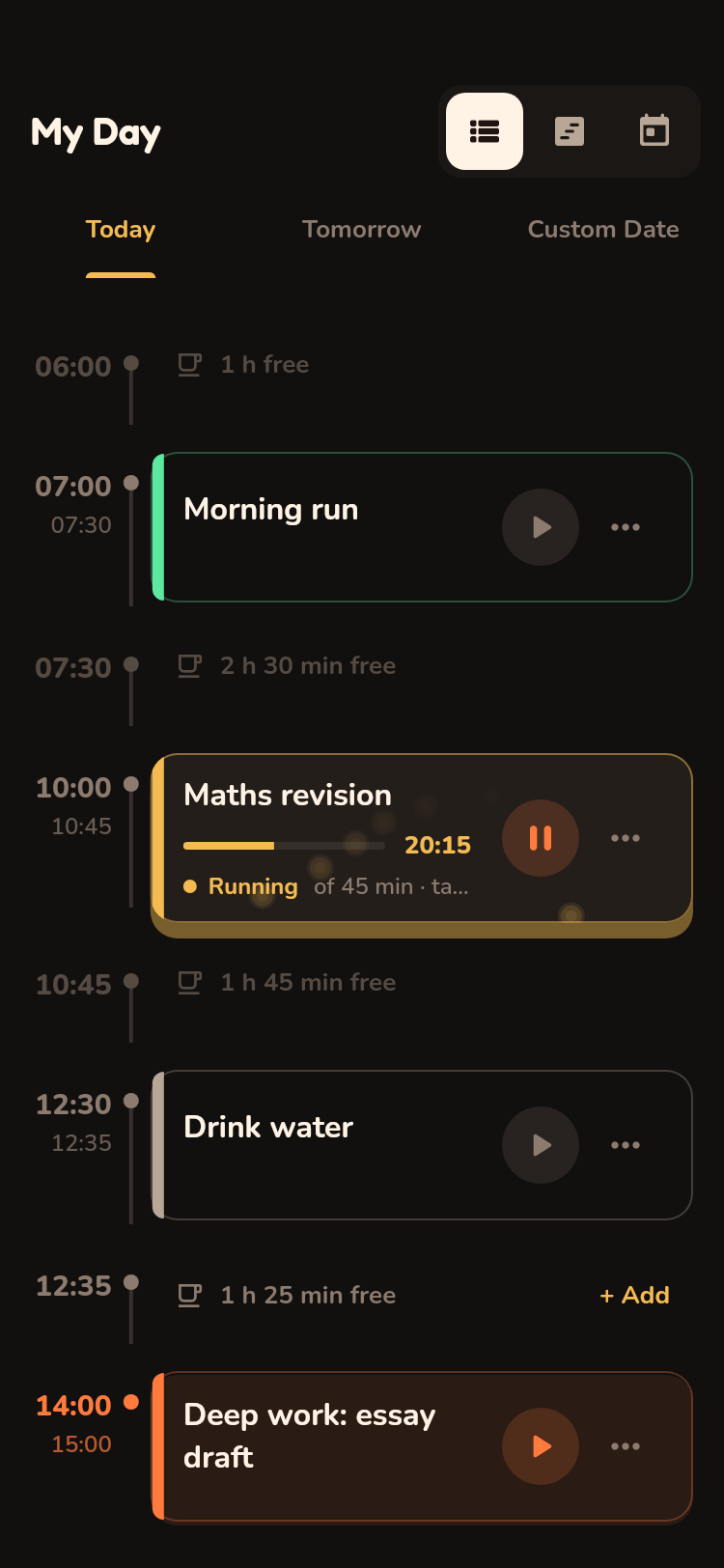
My Day timeline with scheduled tasks and free-time gaps
Step 2 · Do

Start the clock and just do the thing

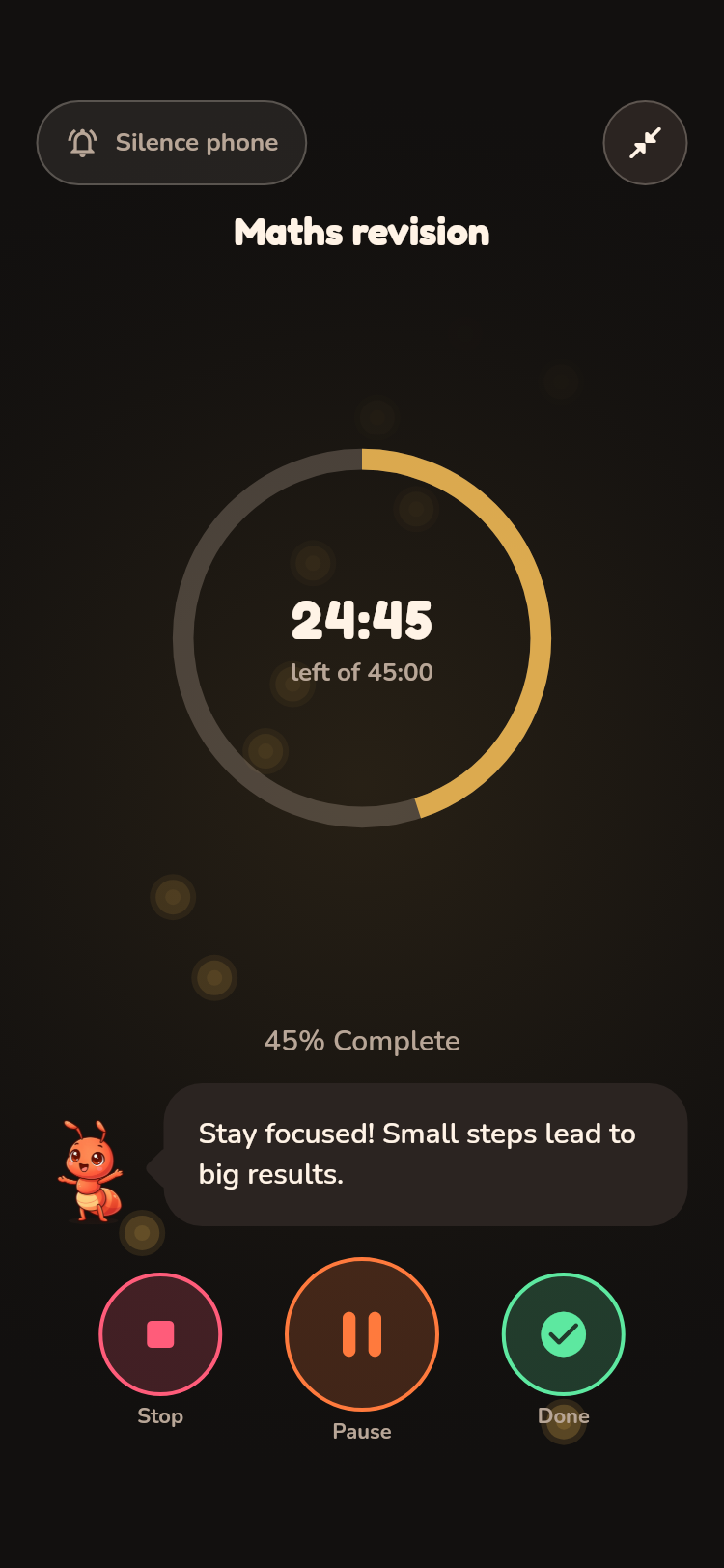
Tap a task and it goes on the clock. The full-screen player counts down against the time you planned, with pause, Zen mode and lock-screen controls so you never have to unlock your phone to stay on track.

  • Deep Focus sessions from 25 to 90 minutes
  • Break timer with gentle tips
  • Control the timer from your notifications
Full-screen task player counting down a task
Step 3 · Reflect

See planned versus actual, honestly

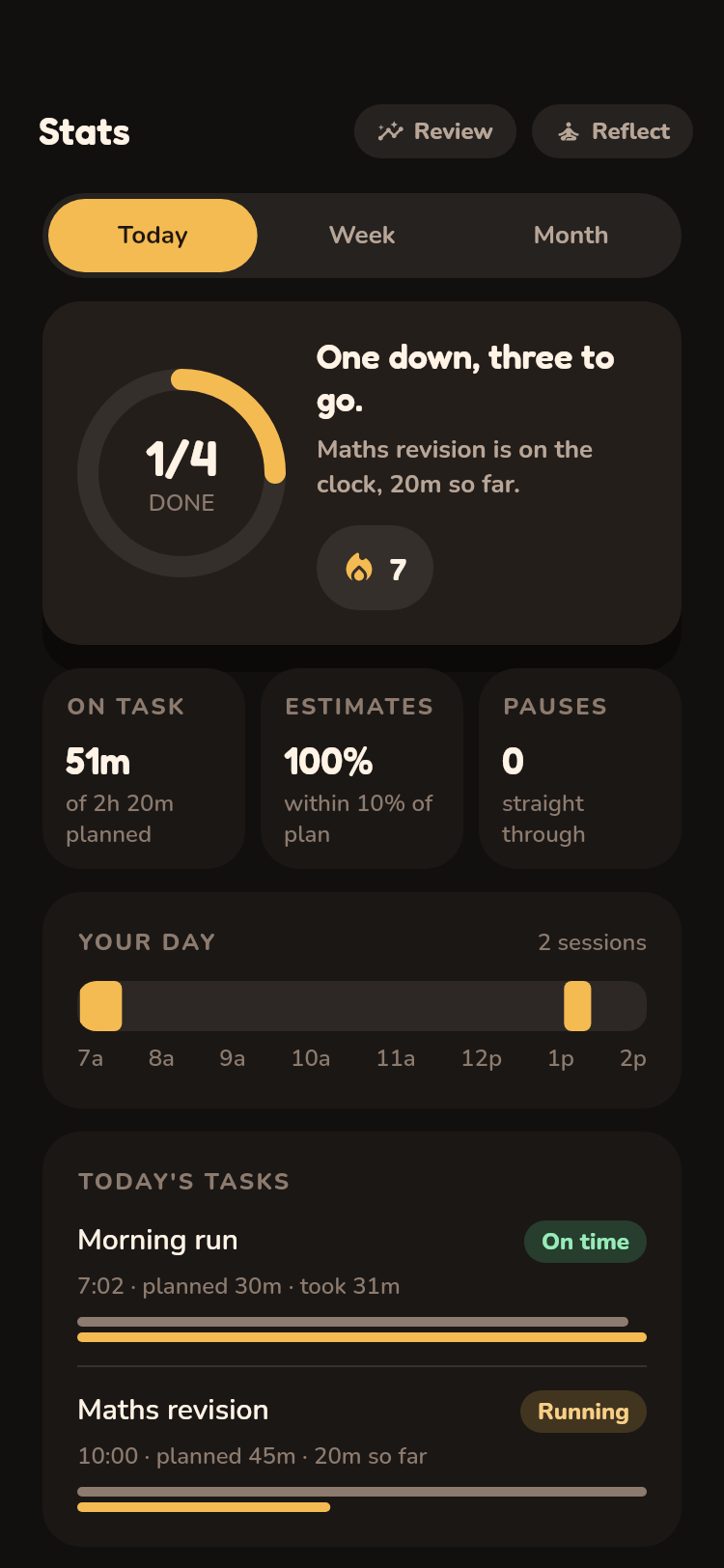
Stats shows what you planned against what you actually did, by day, week and month. Streaks, completion rate and a quiet evening reflection turn one good day into a habit. Unflattering numbers stay on screen, because that contrast is the coaching.

  • Planning accuracy and completion rate
  • Time by category and hourly productivity
  • End-of-day reflection with adaptive timing
Stats screen with completion rate, streaks and planned-versus-actual chart
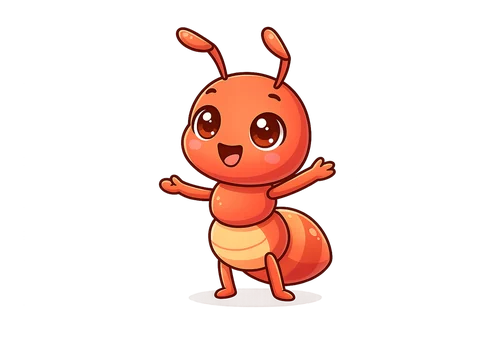
Bitsy, Daylta's ant mascot, arms out and grinning

A buddy who encourages, never shames

Missed yesterday? No Problemo. Today's a fresh ant hill. Which one thing gets you moving first?

Bitsy is the ant who lives in Daylta. It nudges you when a task is due, celebrates when you finish, and answers "how am I doing?" from your own numbers. Its tone adapts to the personality you pick during onboarding, whether you're the Overwhelmed type or the Optimizer.

Bitsy runs entirely on your phone. Your day never gets sent to a server to be analysed.

Take Bitsy's 2-minute quiz

Everything a day needs, nothing it doesn't

My Day timeline

Tasks with real durations, visible free time, and one-tap add into any gap.

Deep Focus

Timed sessions that count down and finish themselves. Zen mode with a breathing animation.

Evening wrap-up

Close the day in a minute: what got done, what slipped, and a short report you can look back on.

Quick habits

Log a glass of water or take a break in one tap. Small wins that add up to a streak.

Honest stats

Completion rate, planning accuracy, streaks and time by category, for today, this week or any range.

Reminders that respect you

Task reminders with quiet hours, an evening wrap-up nudge, and lock-screen timer controls.

Your day stays on your phone

Daylta is local-first. There is no Daylta account, no cloud copy of your plans, and no analytics SDK watching what you tap.

Read the full privacy policy →

  • Tasks, plans, sessions and reflections are stored only on your device
    Uninstall the app and they are gone.
  • No location, no health data, no sign-in
    Daylta never asks for your location or reads other apps' data.
  • Bitsy's coaching is computed on-device
    No AI calls leave your phone.
  • No ads, no sale of data, ever
    We are not in the data business.

Good questions

Is Daylta free?

Yes. Daylta is free to download and use on Android, with no ads and no in-app purchases.

Do I need an account?

No. Daylta works the moment you install it. There is no sign-in of any kind.

Where is my data stored?

On your phone. Daylta has no servers holding your plans. If you switch phones, your data does not follow yet, so keep that in mind before uninstalling.

Who is Daylta for?

It was built for students and Gen Z juggling study, fitness, sleep and screen time, but it works for anyone who wants a lightweight planner and habit tracker in one place. You need to be 13 or older to use it.

Does it work on iPhone?

Daylta is on Google Play today. An iOS release is planned. Tell us if you want to be notified.

Is Daylta a health or medical app?

No. Daylta is a planning and habit app. Water and break logs, streaks and Bitsy's nudges are there to motivate you and are not medical advice. See the health disclaimer.

Start tomorrow with a plan

Free on Google Play. No account, no ads, nothing leaves your phone.